

Step-by-Step Guide Using Ahrefs
Hafsa Akter - 21 July, 2026
Keyword research is the first and most important step in SEO and in 2026 its AI-Powered keyword research. If you skip it or do it wrong, your content may never get found on Google — no matter how well it is written.
In this guide, we will show you a simple, step-by-step way to do keyword research using Ahrefs, one of the most popular SEO tools in the world. We will also show how AI features inside Ahrefs can make this process faster and smarter. This guide is written in easy English, so beginners can follow along without confusion.
By the end of this article, you will know how to:
- Find the right starting keywords for your website
- Use Ahrefs Keywords Explorer the right way
- Let AI help you discover keyword ideas you might otherwise miss
Let’s get started.
What Is Keyword Research and Why Does It Matter?
Keyword research means finding out what words and phrases people type into Google when they are searching for something. If you know these words, you can create content that matches what people are already looking for.
Without keyword research, you are guessing. With keyword research, you are using real data to make smart decisions.
Ahrefs is helpful here because it has a huge database of keywords, along with data like search volume, competition level, and even AI-based suggestions that save you time.
Before You Start: 3 Things You Need First
Before opening Ahrefs, take a few minutes to think about the following:
1. Know Your Niche or Business Goal
What is your website about? What products, services, or topics do you want to be known for? This helps you stay focused instead of picking random keywords.
2. Understand Your Audience
Think about who will read your content. What problems do they have? What questions do they ask? Keyword research becomes much easier when you already know your audience.
3. Learn What a “Seed Keyword” Is
A seed keyword is a simple, broad word related to your topic. For example, if you run a fitness blog, a seed keyword could be “weight loss” or “home workout.” Seed keywords are the starting point — from here, Ahrefs will help you find hundreds of related keyword ideas.
Find Your Seed Keywords
Start by making a small list of 5–10 broad keywords related to your business or blog topic. You can find these ideas by:
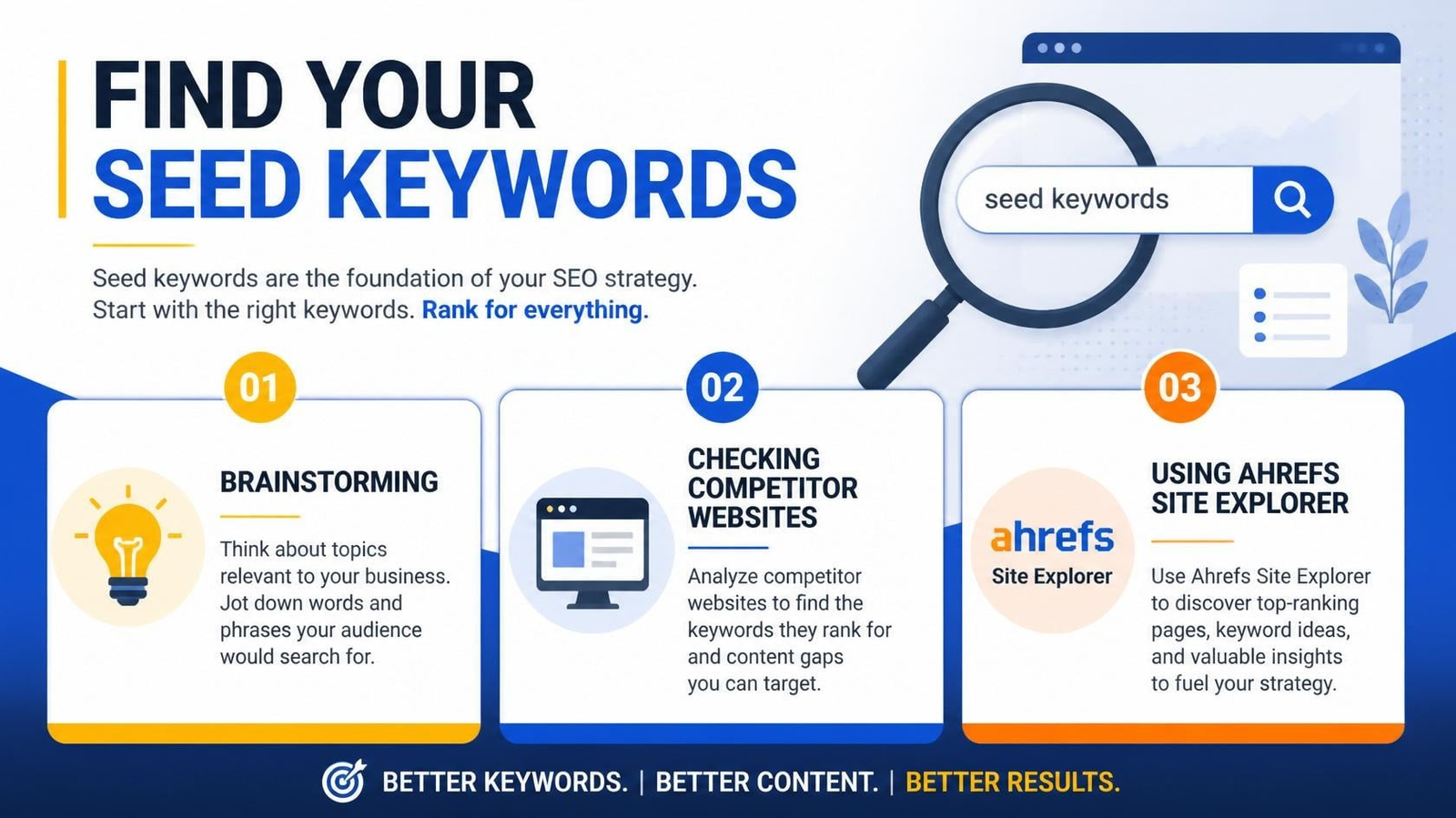
- Brainstorming — Write down the main topics your website covers
- Checking competitor websites — See what topics they write about
- Using Ahrefs Site Explorer — Enter a competitor’s website URL and check the “Organic Keywords” report to see which keywords are already bringing them traffic
This step gives you a strong starting point before you dive deeper into Ahrefs.
Use Ahrefs Keywords Explorer
Now open Ahrefs Keywords Explorer. This is the main tool you will use for keyword research.
- Type in one of your seed keywords
- Choose your target country (this matters, since search volume changes by location)
- Click “Search”
Ahrefs will show you several useful keyword lists:
- Matching Terms — Keywords that contain your seed keyword
- Related Terms — Keywords that are related in meaning, even if the exact words are different
- Search Suggestions — Keywords people search for on Google’s autocomplete
- Questions — Keywords phrased as questions, which are great for blog content and long-tail SEO
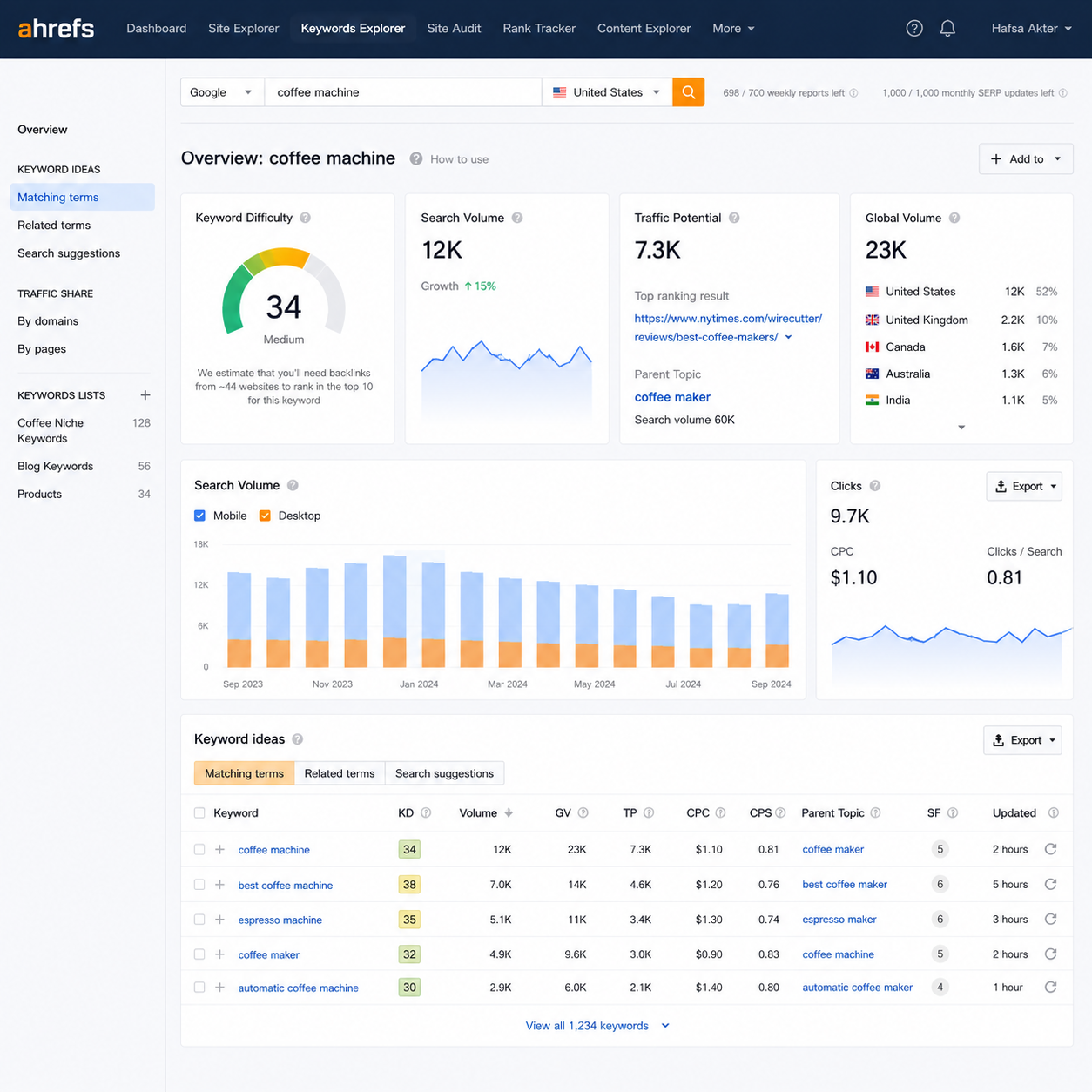
This one search alone can give you hundreds of keyword ideas within minutes, all coming from real search data instead of guesswork.
How AI Helps Inside Keywords Explorer
Ahrefs now uses AI to make sense of all these keyword ideas instead of leaving you to sort through a huge, messy list on your own.
Here’s what the AI does for you:
- Groups similar keywords together — Instead of showing 500 separate keywords, AI clusters ones with the same meaning or search intent, so you can see them as one opportunity instead of hundreds of scattered rows
- Highlights closely related terms — AI points out keywords that are worded differently but mean almost the same thing, which helps you avoid creating duplicate content by accident
- Surfaces hidden opportunities — Some good keywords don’t contain your seed keyword at all, so a simple text match would miss them. AI-based matching catches these because it understands meaning, not just exact words
- Saves manual review time — Instead of opening every keyword one by one to judge if it fits your topic, the AI grouping gives you a quicker, smarter starting point
In short, AI doesn’t replace your judgment — it just does the heavy sorting work first, so you can spend your time deciding which keyword groups are worth targeting instead of digging through a giant spreadsheet.
FAQ
1. What is a seed keyword?
A seed keyword is a short, broad word or phrase related to your topic, like “weight loss” or “home workout.” It’s the starting point you type into Ahrefs Keywords Explorer to generate hundreds of related keyword ideas.
2. Is Ahrefs Keywords Explorer free to use?
No, Ahrefs is a paid tool. It offers limited free searches for non-subscribers, but full access to all keyword ideas and metrics requires a paid plan.
3. How many seed keywords should I start with?
Starting with 5–10 seed keywords is usually enough. This gives Ahrefs a good range of topics to pull related keyword ideas from, without making your research too scattered.
4. What’s the difference between Matching Terms and Related Terms in Ahrefs?
Matching Terms are keywords that contain your exact seed keyword. Related Terms are keywords with a similar meaning or intent, even if they don’t include the same words.
5. How does AI improve keyword research in Ahrefs?
AI groups keywords with similar meaning or intent, points out closely related terms, and surfaces keyword ideas that don’t contain your exact seed keyword but are still relevant. This saves time compared to reviewing every keyword manually.
6. Can I use the Questions tab for blog topic ideas?
Yes. The Questions tab shows keywords phrased as actual questions, which work well as blog post titles or FAQ sections, since they match how people naturally search.
That’s the core of keyword research using Ahrefs: start with a few solid seed keywords, run them through Ahrefs Keywords Explorer, and let the AI-powered grouping show you which keyword ideas are worth exploring further.
Ready to try it yourself? Open Ahrefs, enter your first seed keyword into Keywords Explorer, and see what ideas come up.